
7 Google Flights Tips Nobody Knows
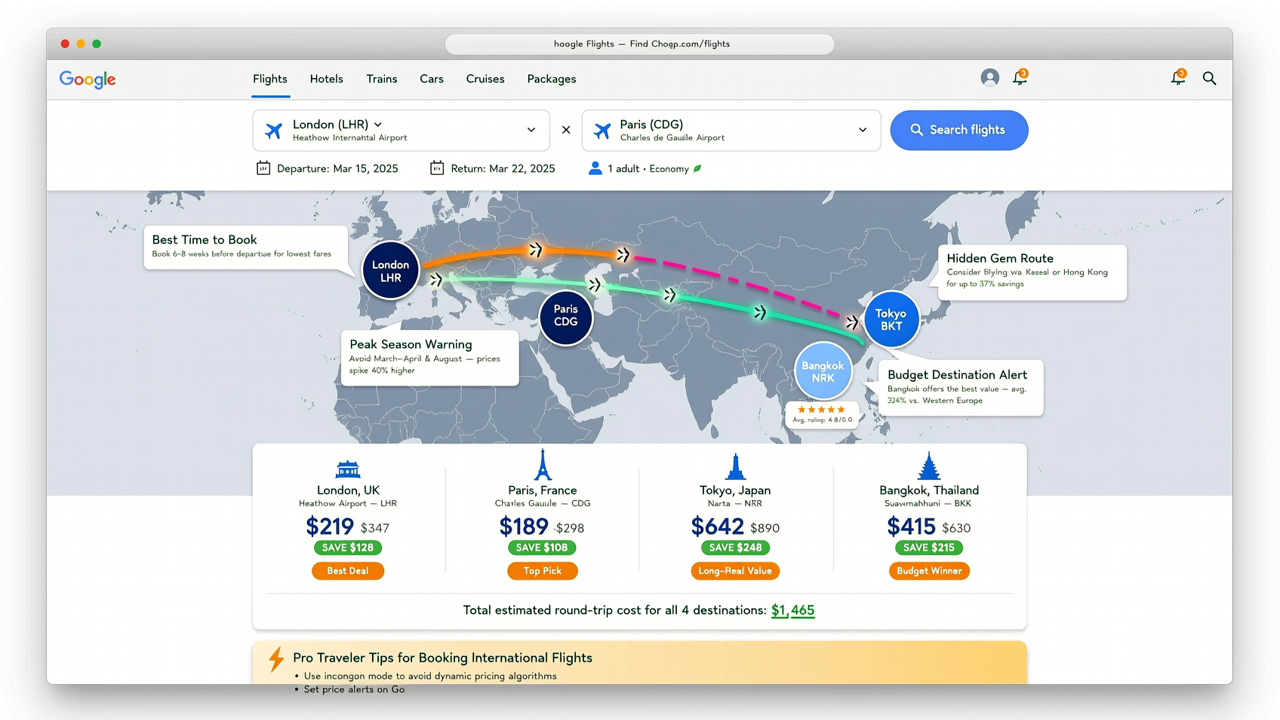
Google flights tricks can unlock incredible savings and streamline your booking process in ways you never imagined. Whether you’re hunting for cheap flights to Paris, Tokyo, or Bangkok from London, mastering these insider techniques can shave hundreds off your airfare. This guide dives into seven brilliant Google Flights tricks that instantly save you money and simplify your travel planning.
From advanced date grid usage to multi-city routing strategies, these tips cover both feature-specific hacks and broad budget travel tactics. You’ll also find practical advice on how to leverage Google’s explore feature, use destination filters effectively, and set up price tracking alerts. Ready to become a savvy airfare sleuth? Let’s dive in.
Google Flights Tricks: Explore Feature for Broader Flight Searches
If you’re flexible on where or when to travel, the google flights explore feature is a game-changer. Simply enter your departure city—London in this case—then select “Explore destinations.” This feature displays a world map with flight prices to various cities based on your dates, highlighting where you can fly cheaply.
For example, searching from London can reveal surprising low fares to Paris (CDG), Tokyo (TYO), and Bangkok (BKK) in real-time, sorted by price or duration. This ability to visualize deals across multiple locations helps budget travelers pick the best destination for their money.
To maximize savings, combine this with setting flexible travel dates. Once you spot a deal, click through to booking platforms that sometimes show even better prices than Google Flights itself, like some OTAs specializing in Asian routes.
Use the Google Flights Date Grid to Spot Cheapest Travel Dates
The google flights date grid tool is an underrated trick many overlook. It lets you view a calendar grid showing prices for days before and after your intended travel dates, making it easy to identify cheaper options without guessing.
Say you plan a trip from London to Paris. Instead of booking the first date you see, open the date grid and watch prices vary up to a couple of hundred dollars. Choosing to fly mid-week often leads to noticeable savings.
This method is perfect for travelers who have some date flexibility and don’t mind shifting plans by a day or two for lower airfares.
Hidden Google Flights Hacks: Multi-City Routing Optimization
Many travelers miss out on significant savings by not exploiting the multi-city routing feature. This hidden google flights hack allows booking complex itineraries—for example, London to Paris, then Paris to Tokyo, and finally Tokyo to Bangkok—in one search.
This is especially useful for business travelers or backpackers planning multi-stop vacations in Europe and Asia. Instead of searching and booking flights separately, Google Flights consolidates them and often reveals cheaper combined fares.
For example, using this tool to create an LON-CDG-TYO-BKK itinerary can save you up to 20% compared to buying segments separately. Also, consider including nearby airports in your search with the multi-airport option to expand your potential savings.
Master Google Flights Price Tracking for Flight Deal Alerts
Price volatility is another reason to use the Google Flights price tracking feature. It lets you monitor specific routes and travel dates and sends email alerts when prices drop.
This is ideal for travelers who want to book the cheapest flights to Paris but aren’t ready to pull the trigger immediately. By setting a price alert, you avoid overpaying and can snag deals as soon as they appear.
To get the most from this feature, set realistic target prices by referencing historic average fares, and compare with other airfare comparison tools to confirm you’re grabbing a genuine bargain.
Apply Google Flights Destination Filters to Narrow Down Options
Google Flights destination filters let you refine results by airline, number of stops, and even specific airports. Using these helps travelers avoid hidden add-on costs or inconvenient schedules.
For example, Paris flights might sometimes route through secondary airports you’d rather avoid. By applying filters to your search, you can skip these routes and focus on direct or shorter flights.
This feature is a straightforward way to tailor results to your travel style—whether prioritizing comfort, speed, or budget.
Best Time to Book Flights: How Google Flights Helps Timing Your Purchase
One of the most frequent questions among budget travelers is the best time to book flights. Google Flights helps by showing price trends over weeks or months, so you can spot when prices usually drop.
For example, flights to Bangkok and Tokyo often have seasonal lows during shoulder months like April or November. Google Flights visualizes these patterns, enabling you to time your booking perfectly.
By combining this insight with price alerts and flexible dates, you can optimize your chances of snagging a great fare.
Bonus Budget Travel Tips Using Google Flights Tricks
Beyond the platform itself, remember to apply general budget travel tips alongside these tricks. Consider traveling mid-week, packing light to avoid baggage fees, and using airline comparison tools to find better overall deals.
For instance, pairing Google Flights’ airfare searches with credit cards that earn travel rewards can amplify your savings further. For destination ideas and real-world budget guides, explore how to travel on a strict budget, like this weekly budget plan.
Also, explore thoughtfully selected destinations such as Paris, Tokyo, and Bangkok for their relative affordability and rich travel experiences.